🧠 What Are Bitwise Operators?
📌 Definition
Bitwise operators perform operations bit by bit on integer data types (byte, short, int, long).
Java internally represents integers in binary format, and bitwise operators directly manipulate those binary values.
📊 List of Bitwise Operators in Java
| Operator | Name |
|---|---|
& | Bitwise AND |
| | Bitwise OR |
^ | Bitwise XOR |
~ | Bitwise NOT (Complement) |
<< | Left Shift |
>> | Right Shift |
>>> | Unsigned Right Shift |
🧩 Binary Representation (Very Important)
📌 How Numbers Are Stored
Example:
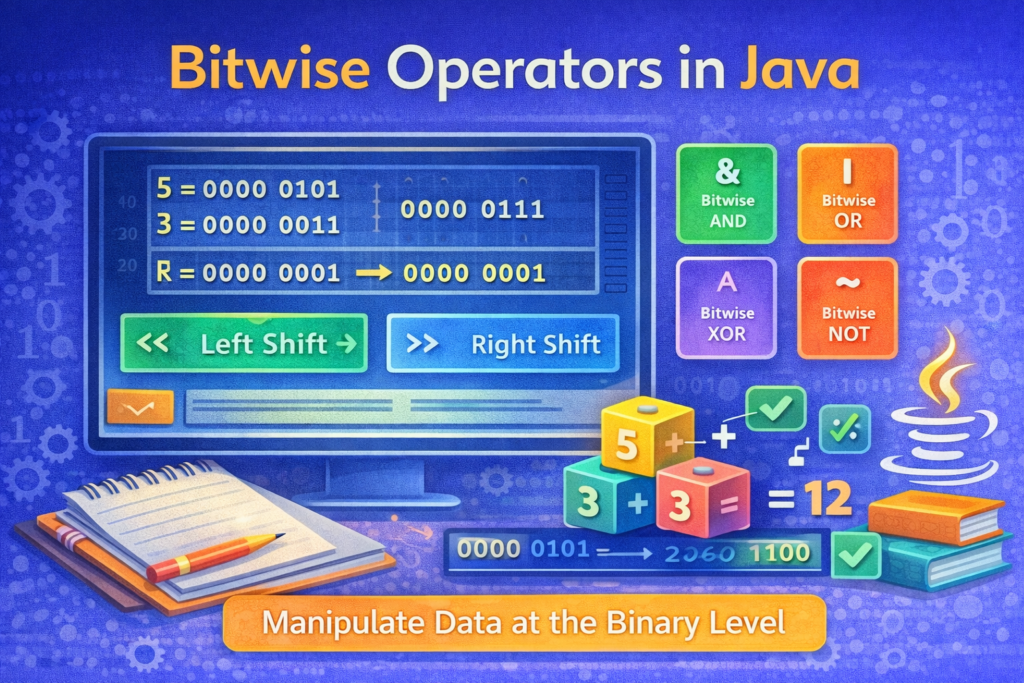
5  →  00000101
3  →  00000011
Bitwise operators compare each corresponding bit.
🔗 1. Bitwise AND (&)
📌 Working Rule
- Result bit is
1only if both bits are 1 - Otherwise result is
0
🧪 Example
int a = 5;   // 0101
int b = 3;   // 0011
System.out.println(a & b);
🧠 Binary Calculation
0101
0011
----
0001  → 1
✔ Output:
1
📌 Practical Use
- Checking odd/even numbers
if ((n & 1) == 0)
    System.out.println("Even");
🔀 2. Bitwise OR (|)
📌 Working Rule
- Result bit is
1if at least one bit is 1
🧪 Example
int a = 5;
int b = 3;
System.out.println(a | b);
🧠 Binary Calculation
0101
0011
----
0111 → 7
✔ Output:
7
🔁 3. Bitwise XOR (^)
📌 Working Rule
- Result bit is
1if bits are different - Result is
0if bits are same
🧪 Example
int a = 5;
int b = 3;
System.out.println(a ^ b);
🧠 Binary Calculation
0101
0011
----
0110 → 6
✔ Output:
6
⭐ Important Property of XOR
x ^ x = 0
x ^ 0 = x
📌 Swapping Without Temp Variable
int x = 5, y = 7;
x = x ^ y;
y = x ^ y;
x = x ^ y;
🔄 4. Bitwise NOT (~)
📌 Working Rule
- Converts
1to0 - Converts
0to1
🧪 Example
int a = 5;
System.out.println(~a);
🧠 Binary Explanation (Two’s Complement)
5  → 00000101
~5 → 11111010
This equals:
-6
✔ Output:
-6
⚠️ Common Confusion
Many expect ~5 = -5, but the correct result is -6.
⬅️ 5. Left Shift Operator (<<)
📌 Working Rule
- Shifts bits to the left
- Rightmost bits are filled with
0 - Equivalent to multiplying by
2ⁿ
🧪 Example
int a = 5;
System.out.println(a << 1);
🧠 Binary Calculation
0101 << 1 → 1010 → 10
✔ Output:
10
📌 Mathematical Relation
a << n = a × (2ⁿ)
➡️ 6. Right Shift Operator (>>)
📌 Working Rule
- Shifts bits to the right
- Leftmost bit is filled with sign bit
- Equivalent to dividing by
2ⁿ
🧪 Example
int a = 10;
System.out.println(a >> 1);
✔ Output:
5
📌 With Negative Numbers
int a = -10;
System.out.println(a >> 1);
Sign bit is preserved.
➡️➡️ 7. Unsigned Right Shift (>>>)
📌 Working Rule
- Shifts bits right
- Always fills leftmost bits with
0 - Ignores sign bit
🧪 Example
int a = -10;
System.out.println(a >>> 1);
✔ Produces a large positive number
🧠 Adding Two Numbers Using Bitwise Operators
📌 Logic Behind Addition
- XOR (
^) → sum without carry - AND (
&) → carry - Left shift carry
🧪 Program: Add Two Numbers Without +
int a = 5;
int b = 7;

while (b != 0) {
    int carry = a & b;
    a = a ^ b;
    b = carry << 1;
}

System.out.println(a);
✔ Output:
12
🧠 Why This Works
- XOR adds bits
- AND finds carry
- Left shift moves carry to correct position
- Repeats until no carry remains
This is how processors internally perform addition.
⚠️ Common Mistakes with Bitwise Operators
❌ Confusing Logical and Bitwise Operators
if (a && b) // ERROR
✔ Correct:
if ((a & b) != 0)
❌ Expecting Boolean Output
Bitwise operators return integers, not boolean values.
❌ Using Bitwise Operators on Floating Types
double x = 5.0;
x & 3;   // ERROR
Bitwise operators work only on integer types.
❌ Misunderstanding ~
~x ≠ -x
Correct formula:
~x = -(x + 1)
📊 Summary of Bitwise Operators
&→ AND|→ OR^→ XOR~→ Complement<<→ Multiply by powers of 2>>→ Divide by powers of 2>>>→ Unsigned shift
🎯 Why Bitwise Operators Are Required
⭐ Key Reasons
- Faster execution
- Low-level memory control
- Efficient calculations
- Used in cryptography, compression, OS design
- Common in competitive programming
🏁 Conclusion
📝 Final Summary
Bitwise operators allow Java programs to work directly at the binary level, providing powerful and efficient ways to manipulate data. While they may seem complex at first, understanding their binary behavior makes them predictable and extremely useful. A strong grasp of bitwise operators not only improves programming skills but also deepens understanding of how computers work internally