📘 What Are Variables and Literals in Java
📌 Introduction
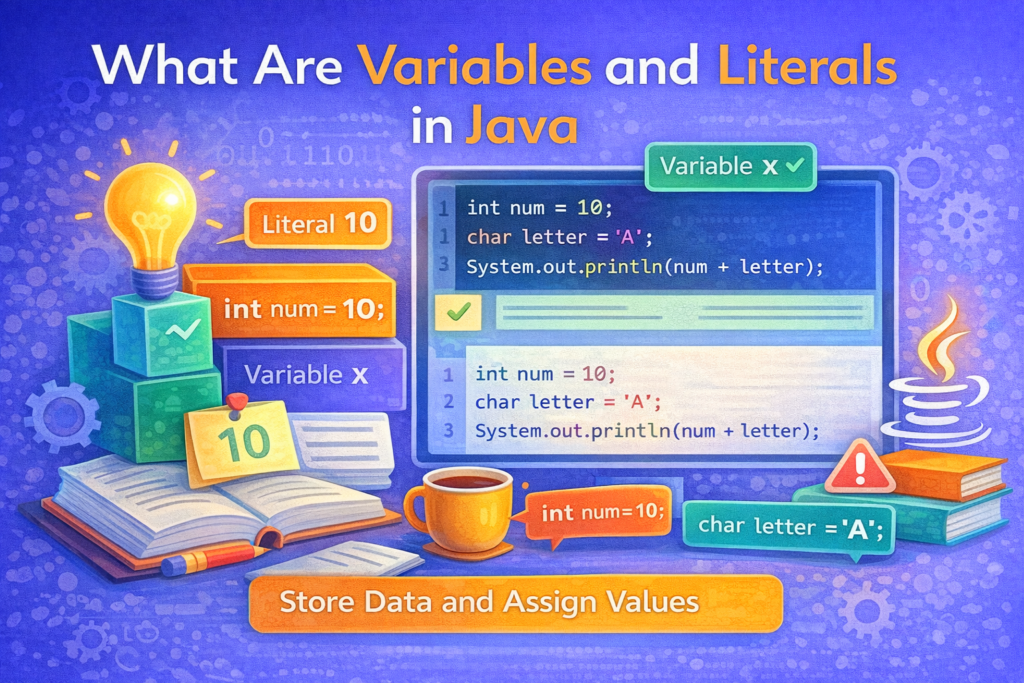
Before writing meaningful Java programs, it is essential to understand how data is stored and represented in a program. Two fundamental concepts that make this possible are variables and literals.
Variables provide a way to store data, while literals represent the actual fixed values stored inside those variables. A clear understanding of these concepts helps avoid many beginner mistakes and forms the foundation for learning data types, operators, and expressions.
🧠 What Is a Variable?
📌 Definition
A variable is a named memory location used to store data that can change during the execution of a program.
In simple terms:
A variable is a container that holds a value.
🧩 Why Variables Are Needed
Without variables:
- Programs would not be able to store user input
- Data could not be reused
- Calculations would be impossible
Variables allow programs to:
- Store values
- Modify values
- Reuse values multiple times
🧱 Declaring a Variable in Java
📌 Syntax
dataType variableName;
🧪 Example
int age;
double salary;
char grade;
At this stage:
- Memory is allocated
- No value is assigned yet
✍️ Initializing a Variable
📌 What Is Initialization?
Initialization means assigning a value to a variable.
int age = 20;
Here:
int→ data typeage→ variable name20→ literal
⚠️ Common Mistake: Using Uninitialized Variables
int x;
System.out.println(x);
❌ Compilation Error:
variable x might not have been initialized
🧠 Java does not assign default values to local variables.
🔁 Reassigning a Variable
📌 Variables Can Change
int count = 5;
count = 10;
System.out.println(count);
✔ Output:
10
🧠 The old value (5) is replaced by the new value (10).
⚠️ Tricky Variable Example (IMPORTANT)
int x = 5;
x = x + 1;
System.out.println(x);
✔ Output:
6
🧠 Explanation:
- Right-hand side is evaluated first
- Result is assigned back to
x
🧠 Variable Naming Rules
📌 Valid Rules
- Must start with a letter,
_, or$ - Cannot start with a digit
- Cannot use keywords
- Case-sensitive
🧪 Examples
int totalMarks;   // valid
int _count;       // valid
int $price;       // valid
❌ Invalid Names
int 1value;   // invalid
int class;    // invalid (keyword)
📌 What Is a Literal?
📘 Definition
A literal is a fixed value that is directly written in the program.
Examples:
10
3.14
'A'
true
"Java"
These values do not change during program execution.
📂 Types of Literals in Java
📌 Java Supports the Following Literals
- Integer literals
- Floating-point literals
- Character literals
- String literals
- Boolean literals
- Null literal
🔢 1. Integer Literals
📌 Examples
int a = 10;
int b = 0;
int c = -25;
⚠️ Default Type Confusion
By default:
- Integer literals are of type
int
long num = 10000000000; // ERROR
❌ Compilation Error: integer number too large
✔ Correct:
long num = 10000000000L;
🔢 2. Floating-Point Literals
📌 Examples
double pi = 3.14;
float rate = 2.5f;
⚠️ Common Mistake
float x = 3.14; // ERROR
🧠 Decimal literals are double by default.
✔ Correct:
float x = 3.14f;
🔤 3. Character Literals
📌 Examples
char ch = 'A';
char digit = '5';
⚠️ Tricky Example
char ch = 65;
System.out.println(ch);
✔ Output:
A
🧠 Characters are stored as Unicode values.
🧵 4. String Literals
📌 Examples
String name = "Java";
⚠️ Tricky String Comparison
String s1 = "Java";
String s2 = "Java";
System.out.println(s1 == s2);
✔ Output:
true
But:
String s1 = new String("Java");
String s2 = new String("Java");
System.out.println(s1 == s2);
✔ Output:
false
🧠 == compares references, not content.
✔ Correct:
s1.equals(s2);
🔘 5. Boolean Literals
📌 Only Two Values
boolean isJavaFun = true;
boolean isEmpty = false;
⚠️ Java does not treat true as 1 or false as 0.
🚫 6. Null Literal
📌 Meaning
null means no reference.
String s = null;
⚠️ Common Mistake
System.out.println(s.length());
❌ Runtime Error:
NullPointerException
⚠️ Common Confusions Between Variables and Literals
❌ Confusion 1: Changing a Literal
10 = x; // INVALID
🧠 Literals cannot be assigned values.
❌ Confusion 2: Literal vs Variable
int x = y; // ERROR if y is not declared
❌ Confusion 3: Using Wrong Literal Type
byte b = 130; // ERROR
🧠 Literal exceeds range of byte.
🧪 Tricky Combined Examples
🔹 Example 1
int x = 5;
int y = x++ + 10;
System.out.println(x + " " + y);
✔ Output:
6 15
🔹 Example 2
char ch = 'A' + 1;
System.out.println(ch);
✔ Output:
B
📊 Summary: Variables vs Literals
- Variables store data
- Literals represent fixed values
- Variables can change, literals cannot
- Literals decide the type of assignment
- Understanding both prevents many errors
🎯 Why This Topic Is Important
⭐ Key Reasons
- Foundation of all Java programs
- Required for data types & operators
- Prevents compilation errors
- Frequently tested in exams
🏁 Conclusion
📝 Final Summary
Variables and literals are the building blocks of Java programming. Variables provide a way to store and manipulate data, while literals represent the actual values used in a program. A clear understanding of how they work, along with their rules and common pitfalls, is essential before moving on to more advanced topics like data types, operators, and control statements.