🔁 Introduction to Loops in Java
In programming, we often need to execute a block of code multiple times. Writing the same statements again and again is inefficient and makes the program difficult to manage. To solve this problem, Java provides loops 🔄.
Loops allow us to run a block of code repeatedly based on a condition. Among different looping constructs, while and do-while loops are known as condition-controlled loops because their execution depends on a boolean condition.
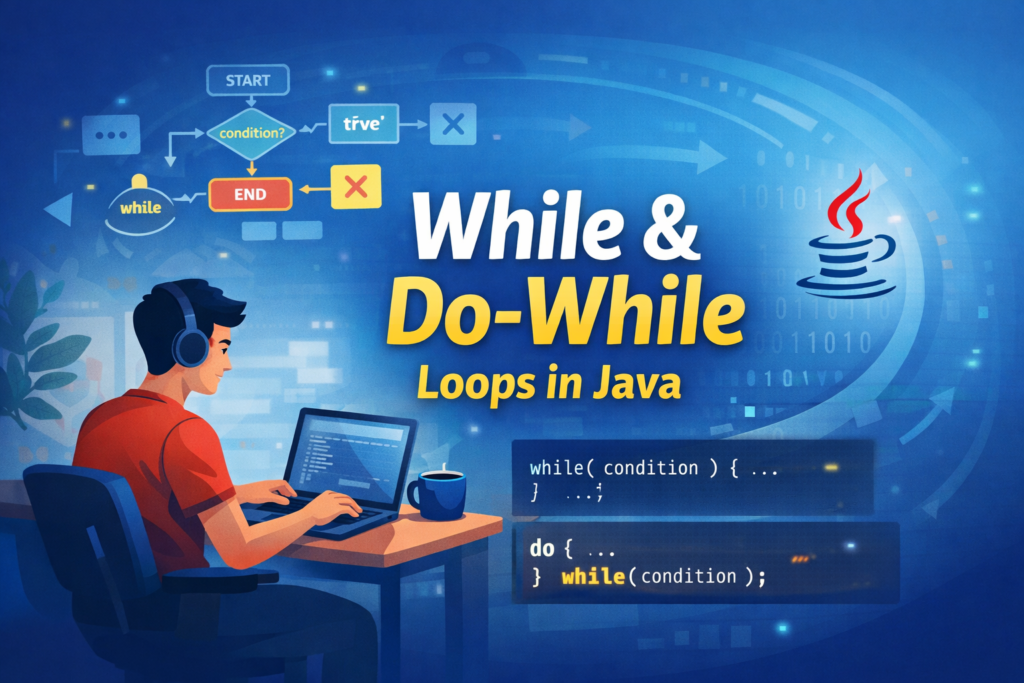
Although while and do-while loops look similar, their execution flow is very different. In this article, we will explore both loops in detail with examples, tricky cases, common mistakes, and real-world usage 🚀.
🔍 What is a while Loop in Java?
A while loop executes a block of code only when the given condition is true ✅.
The condition is checked before entering the loop body.
If the condition is false initially, the loop will not execute even once.
🧩 Syntax of while Loop
while(condition) {
    // code to be executed
}
📝 Explanation:
conditionmust be a boolean expression.- If the condition evaluates to
true, the loop body executes. - If the condition evaluates to
false, the loop is skipped.
⚙️ How while Loop Works Internally
🔄 Execution Flow
- The condition is evaluated.
- If the condition is
true, the loop body executes. - After execution, the condition is checked again.
- Steps 2 and 3 repeat until the condition becomes
false. - Control then moves outside the loop.
⚠️ Important Observation
A while loop can execute zero times if the condition is false initially.
✅ Basic Example of while Loop
int i = 1;

while(i <= 5) {
    System.out.println(i);
    i++;
}
📝 Explanation:
istarts with value1.- The condition
i <= 5is checked before entering the loop. - Since the condition is true, the loop executes.
- The value of
iis printed. i++increments the value ofi.- When
ibecomes6, the condition becomes false and the loop stops.
📤 Output:
1
2
3
4
5
❌ Common Mistakes in while Loop
🚫 Forgetting to Update the Loop Variable
int i = 1;

while(i <= 5) {
    System.out.println(i);
}
📝 Explanation:
- The value of
inever changes. - The condition
i <= 5always remains true. - This results in an infinite loop ♾️ that prints
1endlessly.
👉 Lesson: Always update the loop variable.
🚫 Using Assignment Instead of Comparison
int x = 5;

while(x = 10) {
    System.out.println(x);
}
📝 Explanation:
x = 10is an assignment, not a comparison.- The
whilecondition must return a boolean value. - Java throws a compile-time error ❌ to prevent logical bugs.
✅ Correct Code:
while(x == 10)
🚫 Semicolon After while Condition
while(i <= 5); {
    System.out.println(i);
}
📝 Explanation:
- The semicolon ends the loop immediately.
- The loop body becomes empty.
- The code block runs only once, outside the loop.
- This often leads to infinite loops or confusing output 😵.
♾️ Infinite while Loop
✅ Intentional Infinite Loop
while(true) {
    System.out.println("Running...");
}
📝 Explanation:
- The condition is always
true. - The loop never stops on its own.
- Commonly used in:
- Servers 🌐
- Game loops 🎮
- Background services
❌ Accidental Infinite Loop
int i = 1;

while(i > 0) {
    System.out.println(i);
    i++;
}
📝 Explanation:
ikeeps increasing.- The condition
i > 0never becomes false. - This creates an infinite loop due to poor logic.
🛑 Using break and continue in while Loop
🔴 break Statement
int i = 1;

while(i <= 10) {
    if(i == 5) {
        break;
    }
    System.out.println(i);
    i++;
}
📝 Explanation:
- The loop runs from
1onward. - When
i == 5,breakterminates the loop immediately. - Numbers
1to4are printed.
🔵 continue Statement
int i = 0;

while(i < 5) {
    i++;
    if(i == 3) {
        continue;
    }
    System.out.println(i);
}
📝 Explanation:
- When
ibecomes3,continueskips printing. - Remaining iterations continue normally.
📤 Output:
1
2
4
5
🔁 What is a do-while Loop in Java?
A do-while loop is similar to a while loop, but the condition is checked after the loop body executes.
This guarantees that the loop body executes at least once 👍.
🧩 Syntax of do-while Loop
do {
    // code to be executed
} while(condition);
⚠️ The semicolon at the end is mandatory.
⚙️ How do-while Loop Works
🔄 Execution Flow
- Loop body executes first.
- Condition is evaluated.
- If true, loop repeats.
- If false, loop terminates.
✅ Basic Example of do-while Loop
int i = 1;

do {
    System.out.println(i);
    i++;
} while(i <= 5);
📝 Explanation:
- Code runs once before checking the condition.
- Then the condition is evaluated.
- Execution continues until the condition becomes false.
⚖️ Difference Between while and do-while
🔍 Condition Check
- while → before execution
- do-while → after execution
🔁 Minimum Execution
- while → 0 or more times
- do-while → at least once
🧠 Tricky do-while Examples
❗ Condition is False Initially
int x = 10;

do {
    System.out.println("Hello");
} while(x < 5);
📝 Explanation:
- Condition is false.
- Still, the loop executes once.
"Hello"is printed exactly once.
♾️ Infinite do-while Loop
do {
    System.out.println("Infinite");
} while(true);
📝 Explanation:
- Executes endlessly unless terminated using
break.
❌ Common Confusions with do-while Loop
🚫 Missing Semicolon
do {
    System.out.println("Error");
} while(true)
📝 Explanation:
- Missing semicolon causes a compile-time error ❌.
- Semicolon is mandatory in
do-while.
📋 Menu-Driven Program Using do-while
do {
    System.out.println("1. Add");
    System.out.println("2. Exit");
    choice = scanner.nextInt();
} while(choice != 2);
📝 Explanation:
- Menu is shown at least once.
- Input is taken after displaying options.
- Loop exits only when user chooses
2. - Perfect use case for
do-while👍.
🔂 Nested while Loops
📊 Nested while Loop Example
int i = 1;

while(i <= 3) {
    int j = 1;
    while(j <= 3) {
        System.out.print(j + " ");
        j++;
    }
    System.out.println();
    i++;
}
📝 Explanation:
- Outer loop controls rows.
- Inner loop controls columns.
- Inner loop completes fully for each outer iteration.
- Produces a matrix-like output.
🎯 When to Use while vs do-while
✅ Use while Loop When
- Execution depends strictly on condition
- Loop may not need to execute at all
✅ Use do-while Loop When
- At least one execution is required
- Input validation or menus are involved
🏁 Conclusion
The while and do-while loops are fundamental building blocks in Java 🧱. Though they look similar, their execution behavior is very different.
Understanding when conditions are checked, avoiding common mistakes like infinite loops and misplaced semicolons, and choosing the right loop for the problem are essential skills for every Java programmer.
Master these loops, and your Java programs will become more logical, efficient, and error-free 🚀.