Introduction
While working with strings in Java, beginners often face problems like:
- printing quotes inside strings
- moving text to a new line
- adding tabs or backslashes
- unexpected output
All these problems are solved using escape characters.
This article explains escape characters in Java in detail, covering their purpose, usage, tricks, and common mistakes.
📌 What Are Escape Characters in Java?
Escape characters are special character sequences used inside strings to represent characters that are otherwise difficult or impossible to type directly.
They always start with a backslash (\).
👉 Example:
\n
\t
\"
🧠 Why Do We Need Escape Characters?
Escape characters help us:
- format output properly
- include special characters in strings
- control spacing and alignment
- avoid syntax errors
Without escape characters, many strings would be invalid or unreadable.
🧩 List of Escape Characters in Java
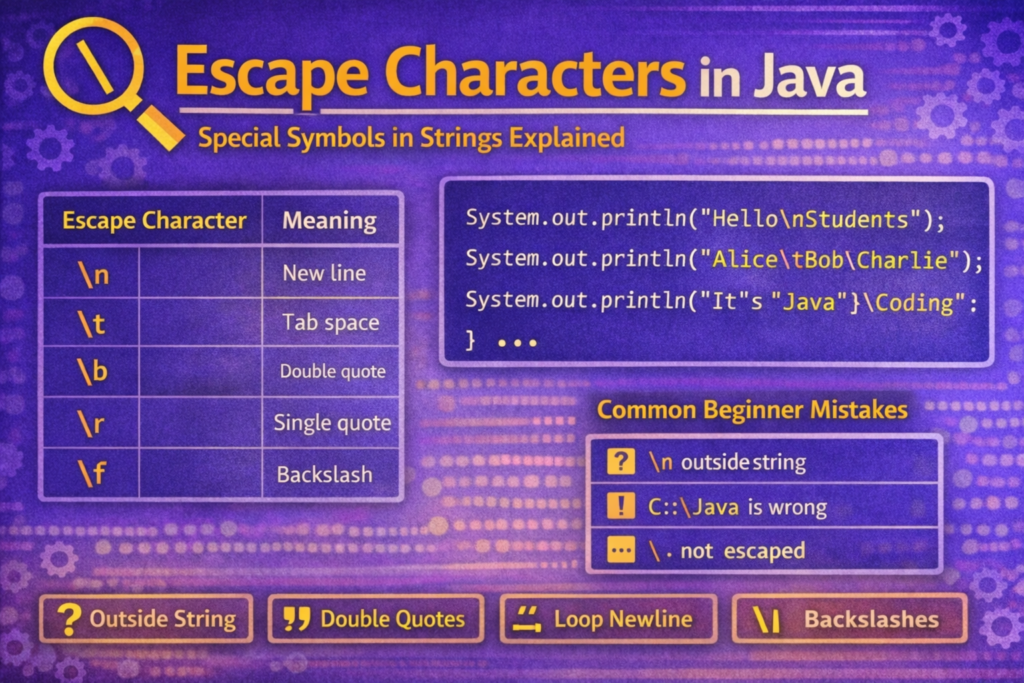
| Escape Character | Meaning |
|---|---|
\n | New line |
\t | Horizontal tab |
\b | Backspace |
\r | Carriage return |
\f | Form feed |
\' | Single quote |
\" | Double quote |
\\ | Backslash |
We will understand each one clearly.
🔹 New Line Escape Character (\n)
📌 What Does \n Do?
It moves the cursor to the next line.
✅ Example
System.out.println("Hello\nJava");
Output:
Hello
Java
📌 Very commonly used in printing formatted output.
🔹 Tab Escape Character (\t)
📌 What Does \t Do?
It adds horizontal space (tab) between words.
✅ Example
System.out.println("Name\tAge\tCity");
Output:
Name Age City
📌 Useful for table-like output.
🔹 Backspace Escape Character (\b)
📌 What Does \b Do?
It removes one character before it.
⚠️ Tricky Example
System.out.println("Java\bProgramming");
Output:
JavProgramming
📌 The last character before \b is removed.
⚠️ Behavior may vary slightly depending on console.
🔹 Carriage Return (\r)
📌 What Does \r Do?
Moves the cursor to the start of the same line, overwriting existing text.
⚠️ Tricky Example
System.out.println("Hello\rJava");
Output:
Javao
📌 "Java" overwrites "Hello" starting from position 0.
🔹 Form Feed (\f)
📌 What Does \f Do?
It inserts a form feed (page break).
ℹ️ Note
System.out.println("Hello\fWorld");
📌 Often ignored in modern consoles
📌 Rarely used in real applications
🔹 Single Quote Escape (\')
📌 Why Is \' Needed?
To print a single quote character inside a string.
✅ Example
System.out.println("It\'s Java");
Output:
It's Java
🔹 Double Quote Escape (\") – Very Important
📌 Why Is \" Required?
Strings in Java are enclosed using double quotes, so to print a double quote inside a string, it must be escaped.
❌ Wrong Code
System.out.println("Java is "awesome""); // ❌
✅ Correct Code
System.out.println("Java is \"awesome\"");
Output:
Java is "awesome"
🔹 Backslash Escape (\\)
📌 Why Do We Need \\?
A single backslash is an escape indicator, so to print it, we must escape it.
✅ Example
System.out.println("C:\\Java\\Programs");
Output:
C:\Java\Programs
📌 Very important while working with file paths.
⚠️ Most Common Confusions & Mistakes
❌ Using \n Outside Strings
System.out.println(\n); // ❌ Error
✔ Escape characters must be inside strings.
❌ Forgetting to Escape Backslash
System.out.println("C:\Java"); // ❌
📌 \J is treated as an invalid escape.
✔ Correct:
System.out.println("C:\\Java");
❌ Confusing \n with println()
System.out.println("Hello\nWorld");
✔ This prints on two lines
✔ println() already adds a new line after printing
🧠 Tricky Escape Character Examples
🔹 Multiple Escape Characters Together
System.out.println("Name:\t\"Java\"\nPath:\tC:\\Java");
Output:
Name:   "Java"
Path:   C:\Java
🔹 Escape Characters in Empty Spaces
System.out.println("A\t\tB");
✔ Creates visible spacing
✔ Tabs depend on console width
🧪 Exam-Oriented Trick Questions
🔹 What Is the Output?
System.out.println("Java\\nProgramming");
✔ Output:
Java\nProgramming
📌 \\n prints \n literally.
🔹 What Is the Output?
System.out.println("A\bB");
✔ Output:
B
📌 \b removes A.
🧠 How to Remember Escape Characters Easily
\n→ new line\t→ tab space\"→ double quote\\→ backslash- If it starts with
\, it changes behavior
📝 Conclusion
Escape characters in Java allow us to control how text is displayed and help us include special characters inside strings safely. Most beginner mistakes with strings occur because escape characters are either misunderstood or forgotten.
To master escape characters:
- Remember that they always start with
\ - Use
\"and\\carefully - Practice formatting output using
\nand\t - Read outputs slowly to understand what each escape does
A strong understanding of escape characters makes string handling, formatting, and debugging much easier and cleaner in Java.