
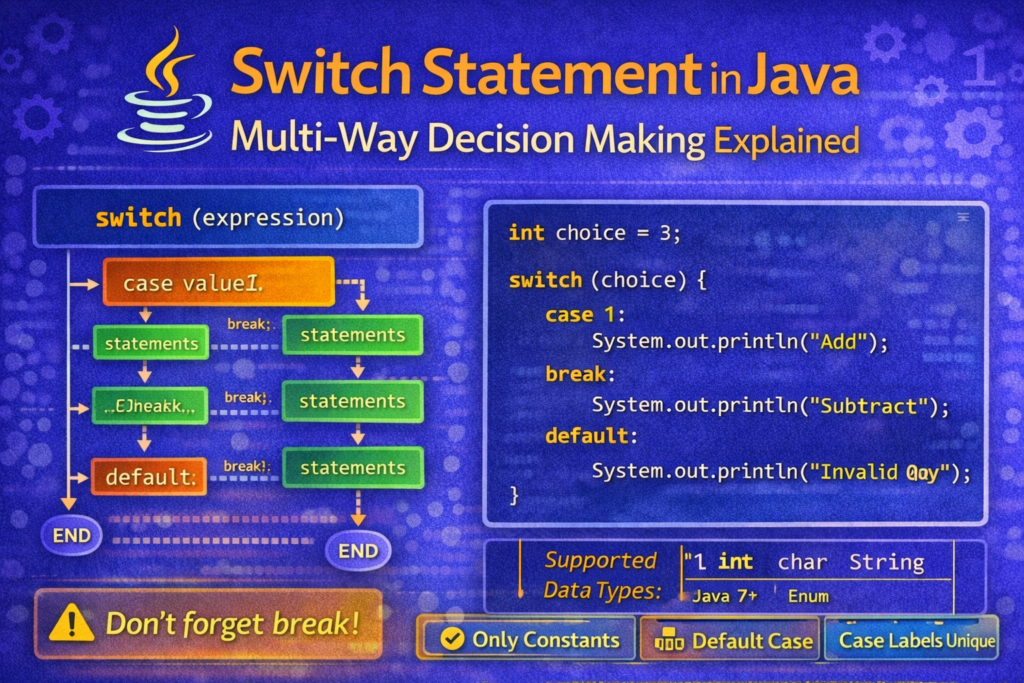
🔀 Switch Statement in Java: Multi-Way Decision Making Explained
📌 Introduction
When a program needs to choose one option from multiple fixed choices, using a long else-if ladder can make the code lengthy and difficult to read. The switch statement in Java provides a cleaner and more structured way to handle such situations.
The switch statement is especially useful when decisions are based on constant values, such as menu options, grades, or commands.
🧠 What Is a Switch Statement?
📌 Definition
A switch statement allows a variable or expression to be tested against multiple constant values, called case labels. The program executes the block corresponding to the matched case.
Only the matching case executes, unless control flow is altered using break.
🧱 Syntax of Switch Statement
📘 General Syntax
switch (expression) {
    case value1:
        // statements
        break;
    case value2:
        // statements
        break;
    default:
        // statements
}
🔍 How the Switch Statement Works
📌 Execution Flow
- The
expressionis evaluated once - Its value is compared with each
case - When a match is found, statements execute
breakexits the switch block- If no case matches,
defaultexecutes
🧪 Example 1: Simple Switch Program
int day = 3;

switch (day) {
    case 1:
        System.out.println("Monday");
        break;
    case 2:
        System.out.println("Tuesday");
        break;
    case 3:
        System.out.println("Wednesday");
        break;
    default:
        System.out.println("Invalid day");
}
✔ Output:
Wednesday
⚠️ The Role of break (VERY IMPORTANT)
📌 Why break Is Needed
The break statement prevents fall-through, where execution continues into the next case.
🔥 Tricky Example: Missing break
int x = 2;

switch (x) {
    case 1:
        System.out.println("One");
    case 2:
        System.out.println("Two");
    case 3:
        System.out.println("Three");
}
✔ Output:
Two
Three
🧠 Execution continues from the matched case onward.
🧠 Intentional Fall-Through (Advanced Concept)
Sometimes fall-through is used intentionally.
char grade = 'B';

switch (grade) {
    case 'A':
    case 'B':
    case 'C':
        System.out.println("Pass");
        break;
    default:
        System.out.println("Fail");
}
✔ Output:
Pass
🧾 The default Case
📌 Purpose
- Executes when no case matches
- Optional, but highly recommended
🧪 Example
int option = 10;

switch (option) {
    case 1:
        System.out.println("Start");
        break;
    default:
        System.out.println("Invalid option");
}
🧠 Data Types Supported in Switch (IMPORTANT)
📌 Java Versions Matter
| Java Version | Supported Types |
|---|---|
| Java 5 and earlier | int, char |
| Java 7 onwards | byte, short, int, char, String |
| Java 8+ | enum |
❌ Not allowed:
floatdoublelongboolean
⚠️ Common Compilation Errors
❌ Using Duplicate Case Values
case 1:
case 1:   // ERROR
❌ Using Variables as Case Labels
int x = 5;
case x:   // ERROR
✔ Case values must be compile-time constants.
❌ Using Boolean in Switch
switch (true) // ERROR
⚠️ Tricky Example: String Switch
String lang = "Java";

switch (lang) {
    case "Java":
        System.out.println("OOP Language");
        break;
    case "Python":
        System.out.println("Scripting Language");
}
✔ Output:
OOP Language
🧠 String comparison is case-sensitive.
⚠️ Confusion: switch vs else-if Ladder
📌 switch
- Cleaner for fixed values
- Better readability
- Faster execution in some cases
📌 else-if
- Used for ranges and conditions
- More flexible
🧪 Example: Menu-Driven Program
int choice = 3;

switch (choice) {
    case 1:
        System.out.println("Add");
        break;
    case 2:
        System.out.println("Subtract");
        break;
    case 3:
        System.out.println("Multiply");
        break;
    case 4:
        System.out.println("Divide");
        break;
    default:
        System.out.println("Invalid choice");
}
⚠️ Common Beginner Mistakes
❌ Forgetting break
Leads to unexpected outputs.
❌ Using Ranges in Case Labels
case 1 to 5: // INVALID
Use if-else instead.
❌ Missing default
May leave program with no output.
🧠 Best Practices
✔ Always Use break (unless fall-through is intentional)
✔ Use default case
✔ Prefer switch for menu-driven programs
✔ Use if-else for ranges and complex conditions
📌 Quick Summary
switchis used for multi-way decisions- Works with constants only
breakcontrols flowdefaulthandles unmatched cases- Cleaner alternative to long else-if ladders
🏁 Conclusion
The switch statement is a powerful and readable control structure for handling multiple fixed choices in Java. Understanding fall-through behavior, data type limitations, and proper use of break ensures correct program execution. Mastery of switch statements simplifies decision-making logic and improves code clarity.


