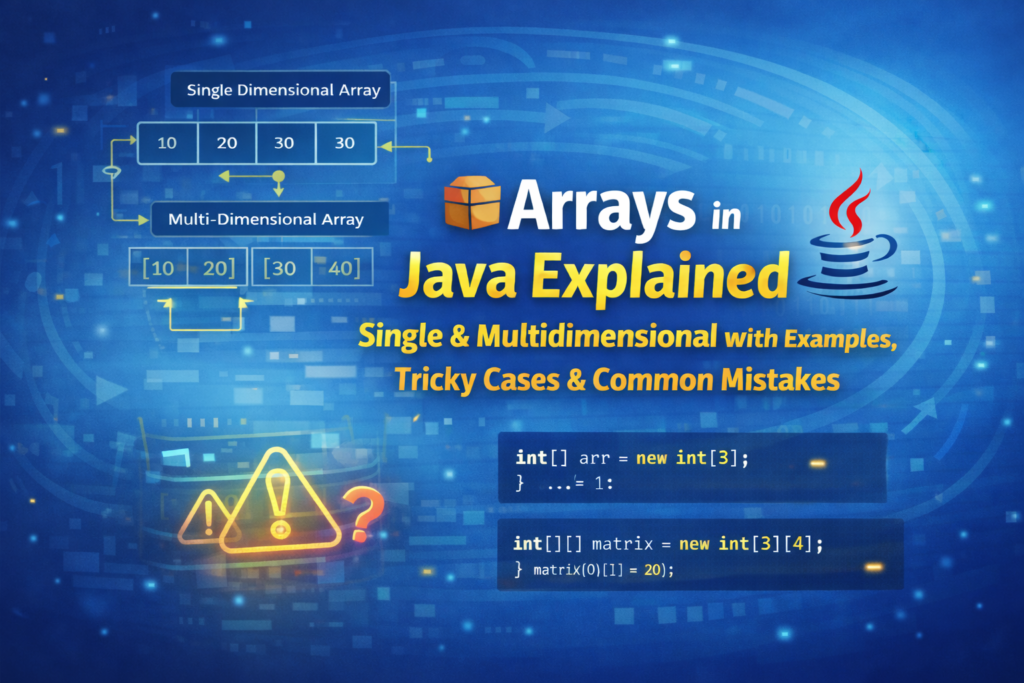
🔰 Introduction to Arrays in Java
In Java programming, one of the first major problems beginners face is how to store and manage multiple values efficiently.
Creating a separate variable for every value is not practical and leads to messy code.
That’s where arrays come into the picture.
👉 An array is a data structure that allows us to store multiple values of the same data type in a single variable.
Arrays form the foundation for:
- Loops
- Searching & sorting
- Strings
- Collections
- Data Structures
- Competitive programming & interviews
Understanding arrays properly will make everything else in Java easier.
🧠 What Exactly Is an Array?
An array is:
- A fixed-size container
- Stores homogeneous data (same data type)
- Accessed using index values
- Stored in contiguous memory locations
📌 Important:
- First index =
0 - Last index =
size - 1
🧱 Single Dimensional Array in Java (1D Array)
A single dimensional array stores data in a linear sequence, like a list.
📝 Declaring a Single Dimensional Array
🔹 Syntax
dataType[] arrayName;
🔹 Example
int[] marks;
🧠 Explanation:
int[]→ type of arraymarks→ reference variable- No memory allocated yet
⚠️ This line does not create the array, it only creates a reference.
💾 Allocating Memory to Array
🔹 Using new keyword
marks = new int[5];
🧠 Explanation:
new→ creates array objectint[5]→ size of array = 5- Index range →
0 to 4
📌 Once size is fixed, it cannot be changed.
🧩 Declaration + Allocation Together (Most Used)
int[] marks = new int[5];
✔ Clean
✔ Recommended
✔ Industry standard
🎯 Assigning Values to Array Elements
marks[0] = 85;
marks[1] = 90;
marks[2] = 78;
marks[3] = 88;
marks[4] = 92;
🧠 Explanation:
- Each value is stored at a specific index
- Index must be within range
⚠️ Common Beginner Mistake – Invalid Index
marks[5] = 100;
❌ Runtime Error
❌ ArrayIndexOutOfBoundsException
📌 Valid indexes: 0 – 4 only
🔍 Accessing Array Elements
System.out.println(marks[2]);
🧠 Output:
78
🔁 Traversing Array Using for Loop
for(int i = 0; i < marks.length; i++) {
    System.out.println(marks[i]);
}
🧠 Line-by-line explanation:
i = 0→ start from first indexmarks.length→ total size of array- Loop stops before invalid index
marks[i]→ access element at indexi
📌 length is a variable, not a method
❌ marks.length() → WRONG
🔁 Traversing Using Enhanced for Loop (for-each)
for(int value : marks) {
    System.out.println(value);
}
✔ No index handling
✔ Cleaner syntax
❌ Index not available
❌ Cannot modify element position
⚠️ Default Values in Array
When you create an array, Java automatically assigns default values.
| Data Type | Default Value |
|---|---|
| int | 0 |
| double | 0.0 |
| char | ‘\u0000’ |
| boolean | false |
| String | null |
int[] arr = new int[3];
System.out.println(arr[0]);
🧠 Output:
0
❓ Confusion: Array Size vs Index
int[] arr = new int[3];
✔ Size = 3
✔ Indexes = 0, 1, 2
❌ Index 3 is invalid
🧨 Tricky Example – Zero Length Array
int[] arr = new int[0];
System.out.println(arr.length);
🧠 Output:
0
✔ Valid array
❌ Cannot store values
🚫 Null Array Confusion
int[] arr = null;
System.out.println(arr.length);
❌ Runtime Error
❌ NullPointerException
👉 Array object does not exist in memory
🧱 Multidimensional Array in Java (2D Array)
A multidimensional array stores data in rows and columns, similar to a table.
📝 Declaring 2D Array
int[][] matrix;
💾 Allocating Memory
matrix = new int[2][3];
🧠 Meaning:
- 2 rows
- 3 columns each
🎯 Assigning Values
matrix[0][0] = 10;
matrix[0][1] = 20;
matrix[0][2] = 30;
👉 First index → row
👉 Second index → column
🔁 Traversing 2D Array (Nested Loop)
for(int i = 0; i < matrix.length; i++) {
    for(int j = 0; j < matrix[i].length; j++) {
        System.out.print(matrix[i][j] + " ");
    }
    System.out.println();
}
🧠 Explanation:
matrix.length→ number of rowsmatrix[i].length→ columns in that row- Nested loop required
⚠️ Common 2D Array Mistake
matrix[2][3] = 50;
❌ Index out of range
❌ Runtime error
🧩 Jagged Array in Java (Important Concept)
Jagged array means unequal column sizes.
int[][] jagged = new int[3][];
jagged[0] = new int[2];
jagged[1] = new int[4];
jagged[2] = new int[1];
✔ Valid in Java
✔ Frequently asked in interviews
❌ Confusing for beginners
🧨 Tricky Interview Code
int[] arr = {1, 2, 3};
arr = new int[]{9, 8};
System.out.println(arr.length);
🧠 Output:
2
👉 Old array is discarded
👉 Reference points to new array
String Arrays in Java
So far, we have seen examples using int arrays.
In real applications, we often need to store text data such as names, cities, subjects, usernames, etc.
For this purpose, Java provides String arrays.
A String array is an array that stores multiple String values.
Declaring a String Array
String[] names;
At this stage:
- Only a reference is created
- No memory is allocated for storing strings
Creating a String Array
names = new String[3];
This creates an array that can store 3 String values.
Valid indexes are:
names[0]names[1]names[2]
Each element is initialized with the default value null.
Declaring and Creating a String Array Together
String[] names = new String[3];
This is the most commonly used way to create a String array.
Assigning Values to a String Array
String[] names = new String[3];

names[0] = "Ajay";
names[1] = "Rahul";
names[2] = "Neha";
Each index stores exactly one String value.
Accessing Elements from a String Array
System.out.println(names[0]);
System.out.println(names[1]);
System.out.println(names[2]);
Output:
Ajay
Rahul
Neha
String Array Using Direct Initialization
String[] languages = {"Java", "Python", "C++"};
Here:
- Array size is automatically decided
- Values are assigned at the time of creation
Traversing a String Array Using for Loop
String[] fruits = {"Apple", "Banana", "Mango"};

for (int i = 0; i < fruits.length; i++) {
    System.out.println(fruits[i]);
}
Traversing a String Array Using for-each Loop
for (String fruit : fruits) {
    System.out.println(fruit);
}
This loop is:
- Easy to read
- Mostly used when index is not required
Default Values in String Arrays
String[] data = new String[2];

System.out.println(data[0]);
System.out.println(data[1]);
Output:
null
null
Unlike int arrays (default value 0),
String arrays have null as the default value.
Common Mistake with String Arrays
Using == instead of equals() to compare strings.
Wrong way:
if (names[0] == "Ajay") {
    System.out.println("Match");
}
Correct way:
if (names[0].equals("Ajay")) {
    System.out.println("Match");
}
Searching an Element in a String Array
String[] cities = {"Pune", "Mumbai", "Delhi"};
String search = "Mumbai";
boolean found = false;

for (String city : cities) {
    if (city.equals(search)) {
        found = true;
        break;
    }
}

System.out.println(found);
Multidimensional String Array (2D)
Just like int, Java also supports 2D String arrays.
String[][] students = {
    {"Ajay", "Rahul"},
    {"Neha", "Priya"}
};
Accessing Elements from 2D String Array
System.out.println(students[0][0]); // Ajay
System.out.println(students[1][1]); // Priya
Traversing a 2D String Array
for (int i = 0; i < students.length; i++) {
    for (int j = 0; j < students[i].length; j++) {
        System.out.print(students[i][j] + " ");
    }
    System.out.println();
}
Important Points About String Arrays
- String arrays store references to String objects
- Default value is
null - Size is fixed
- Index starts from
0 - Invalid index access throws
ArrayIndexOutOfBoundsException
❗ Common Mistakes & Confusions (Very Important)
❌ Accessing invalid index
❌ Confusing length and length()
❌ Using array before initialization
❌ Forgetting nested loop for 2D array
❌ Assuming array size is dynamic
❌ Null array vs empty array confusion
🎯 When Should You Use Arrays?
✔ Fixed number of elements
✔ Fast access using index
✔ Base for data structures
✔ Simple memory management
🏁 Conclusion
Arrays are the backbone of Java programming.
Most bugs in beginner programs happen due to array misunderstanding, not syntax.
If you clearly understand:
- Indexing
- Size
- Traversal
- Memory behavior
- 1D vs 2D arrays
👉 You’ll automatically improve in loops, strings, collections, and DSA.
📌 My advice:
Practice array programs daily, intentionally make mistakes, and analyze errors — that’s how arrays truly become easy.
⭐ Common Array Practice Questions
- Write a program to find the largest element in an array.
- Write a program to find the smallest element in an array.
- Write a program to calculate the sum of all elements in an array.
- Write a program to reverse an array.
- Write a program to count how many elements are even and how many are odd.
- Write a program to search for a given element in an array (Linear Search).
- Write a program to copy all elements from one array into another array.
- Write a program to sort an array in ascending order (use any sorting technique).
- Write a program to remove duplicate elements from an array.
- Write a program to find the second largest element in an array.